 Naqood
Hi there,
October was a month of practical upgrades at Naqood. The theme was simple: less manual work on the everyday tasks you repeat most, from sending quotes to booking supplier bills and reading your reports.
Quotes now have a proper home of their own, suppliers can remember their VAT code, your reports got a few long-requested improvements, and a new Tasks list, fed by an always-on Wio connection, tells you what to book next.
Here’s what’s new this month.
✅ Wio auto sync + Tasks
Naqood now gives you a Tasks list: a short to-do list of bank transactions that need your attention, each with a suggested next step. For every task, Naqood explains what it found and offers one click to act on it:
- Record payment when a deposit or payment matches an open invoice or purchase
- Record transfer when money moved between your own accounts
- Book and reconcile when a transaction belongs straight on an account, for example following one of your bank rules
- Create and reconcile when a payment has no purchase yet, with the purchase filled in for you to check
If a suggestion is wrong, just tell Naqood it is not a match. Open Tasks from the quick actions on your dashboard, where a badge shows how many are waiting.
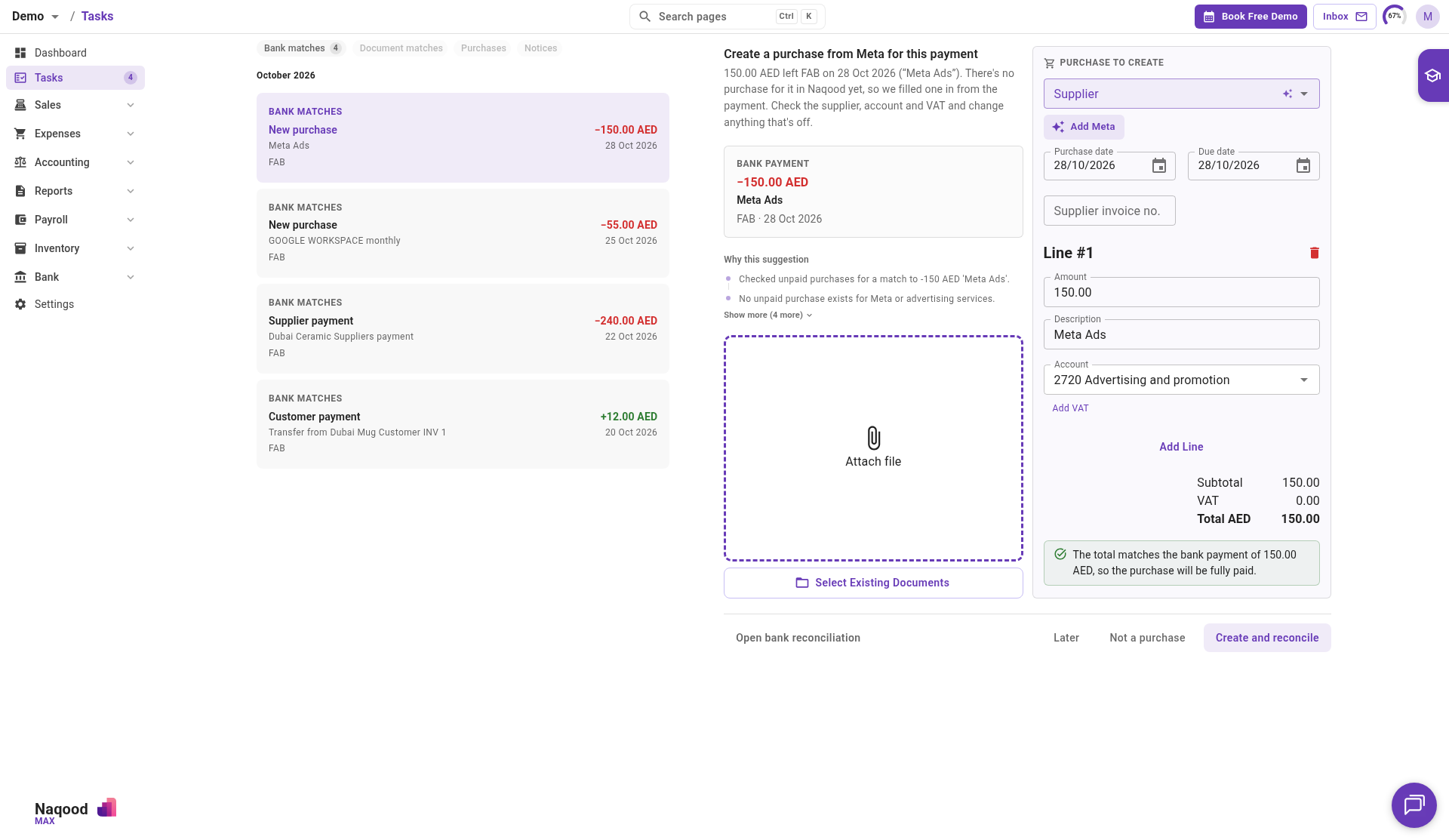
Tasks work best together with our new Wio Business connection. Go to Bank accounts, choose Wio under Who do you bank with?, approve access in Wio once and pick the oldest transaction to bring in. From then on your Wio transactions keep syncing in the background, with no statement uploads needed. If your approval ever expires, Naqood shows it clearly and you can approve again in a few clicks.
It is a big time saver for any business that banks with Wio and wants its bookkeeping to keep up without the monthly upload routine.
📝 Quotes get their own home
Quotes are no longer mixed in with your invoices. They now live in their own Quotes list, with their own numbering, so your invoice sequence stays clean and your sales pipeline is easy to see at a glance.
- Filter quotes by Open or Converted to see what is still waiting on a customer
- Set up quote numbering separately from invoice numbering, for example
QUO-2026-0001 - Send a quote to your customer and download it as a PDF
- When the customer says yes, click Convert to Invoice. You choose the invoice header, keep or edit the comment, and Naqood creates a draft invoice that links back to the original quote
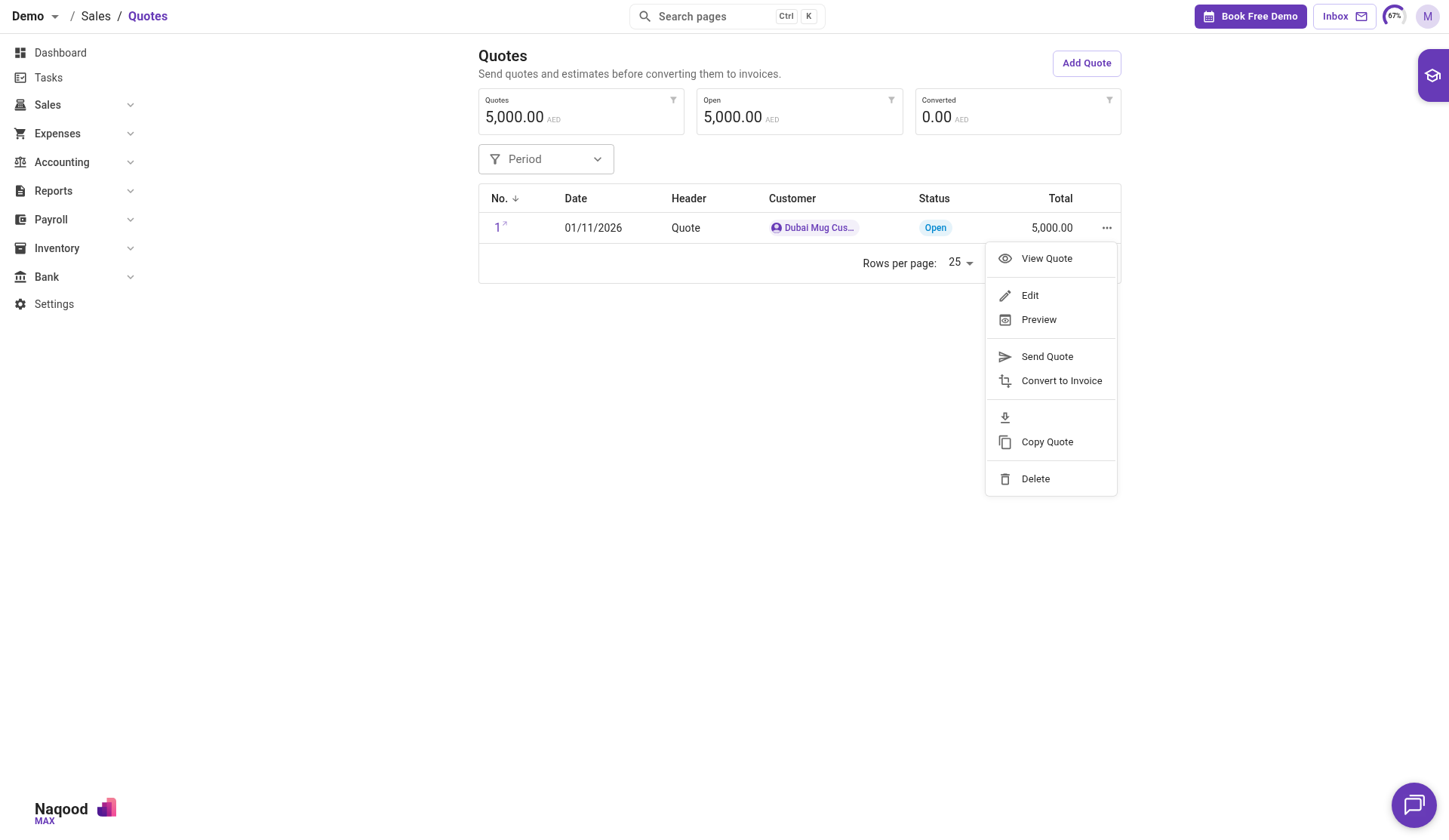
Quotes are included in the Pro and Max plans.
🧾 Faster supplier bills with default VAT codes
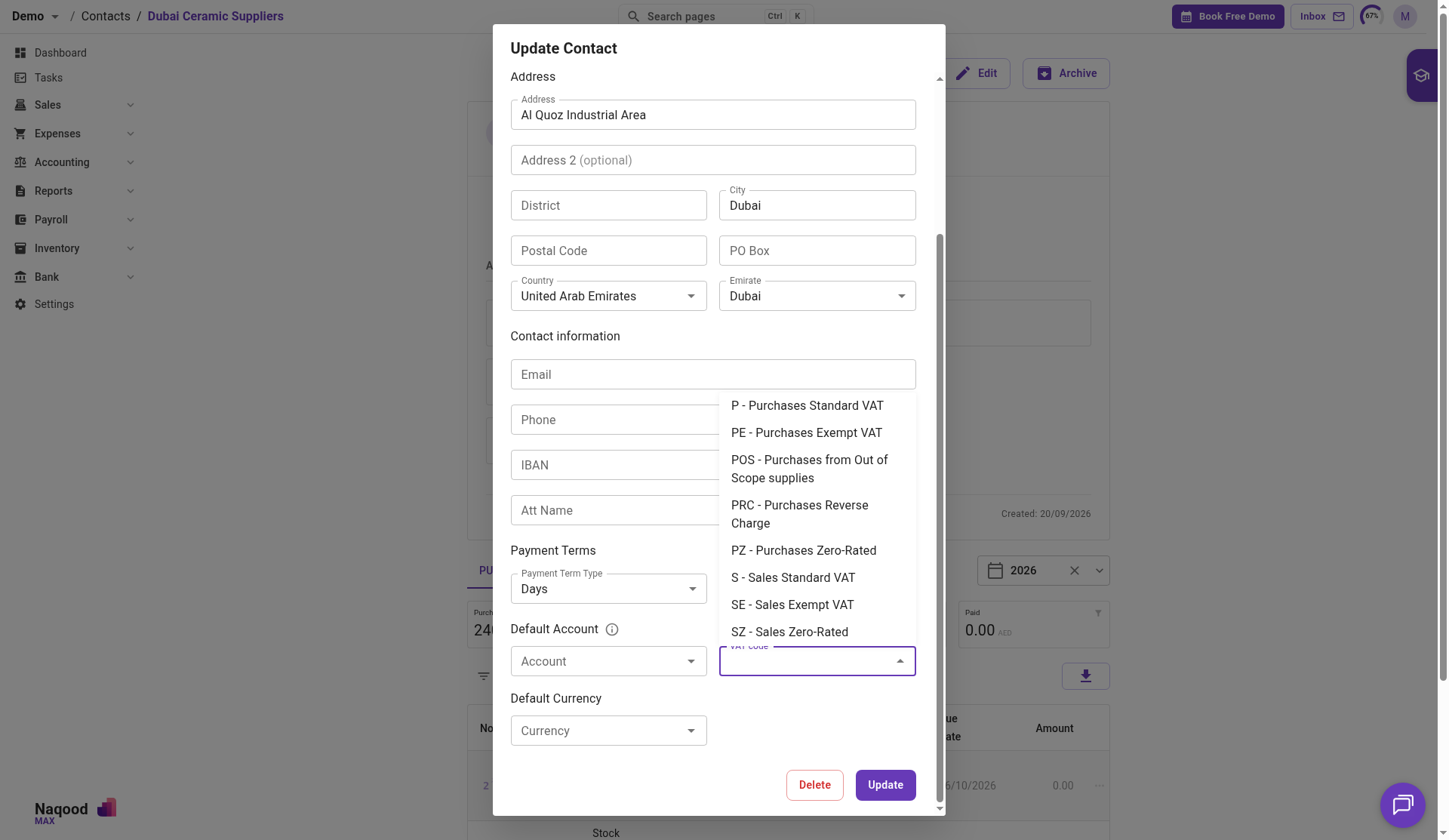
You can now set a default VAT code on a supplier, right next to the default account. When you book a bill or expense for that supplier, Naqood fills in the VAT code for you, and you can still change it on the bill if needed.
This is especially handy for foreign suppliers like Google or Meta, where you usually want reverse charge instead of standard purchase VAT. Set it once on the supplier, and every new bill starts with the right code. You can also include a VAT Code column when importing suppliers from CSV.
We also added the supplier name to purchase exports, so your Excel and CSV downloads from the purchases list now show who each purchase is from.
📊 Clearer reports
A few improvements for everyone who spends time in the reports:
- Show Total in Profit and Loss. Comparing several months? Tick Show Total to add a Total column that sums every period shown. It is also included when you export to CSV, Excel or PDF. Thank you to AlphaPro for requesting this. If you have a feature in mind, tell us in the in-app chat.
- Pinned headers. Profit and Loss, Balance Sheet and Trial Balance now keep the toolbar and period headers on screen while you scroll, just like bank reconciliation. Use the pin icon to turn it on or off. AlphaPro asked for this one too. Reply to this email with your own requests and we will take a look.
- Invoice list as PDF. From the invoices list, choose Download PDF to get a PDF of the invoices you are looking at, using the same filters and sorting as the list.
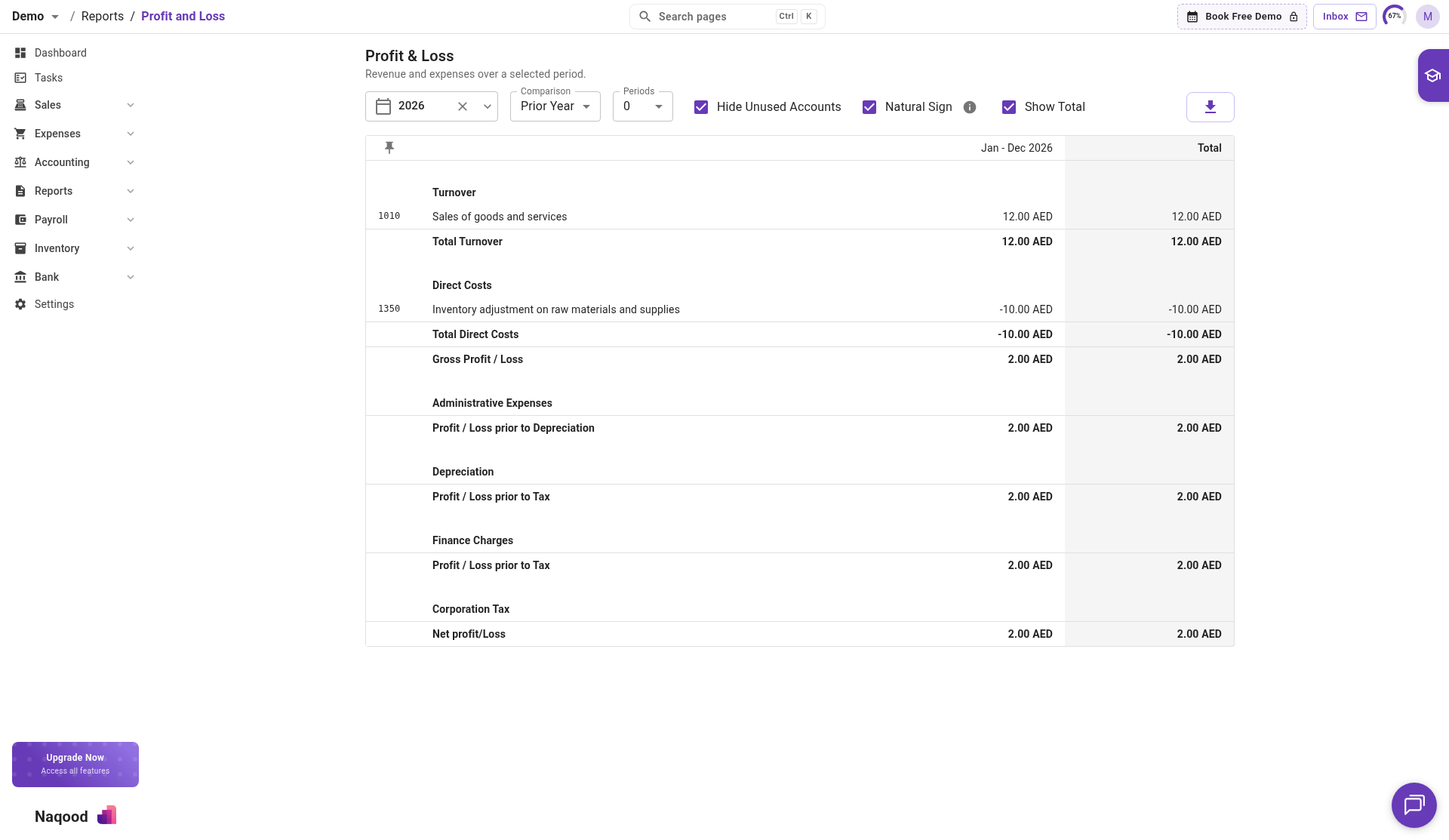
New to reading reports in Naqood? Our guide on understanding positive and negative amounts in Naqood reports explains how the numbers and the Natural Sign option work.
📱 A better experience on your phone’s browser
Opening Naqood on your phone’s browser now feels much more natural. Pages fit the screen without pinching or zooming, buttons are easier to tap, dialogs have a clear close button, and the dashboard cards can be swiped and tapped.
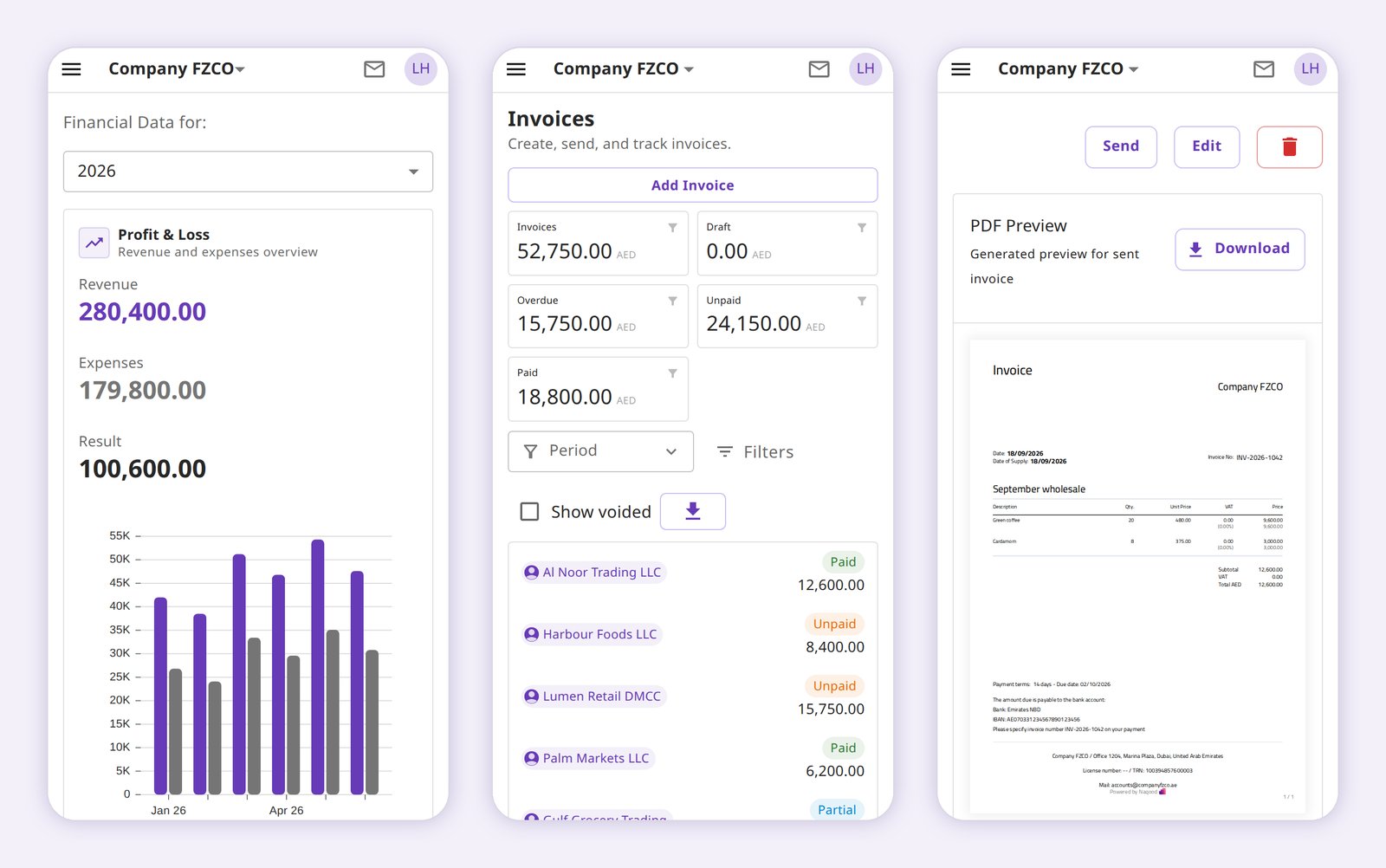
A Naqood mobile app is coming soon, but more on that in a separate mail.
💬 Keep the Feedback Coming
Everything we build starts with feedback from our users, and this month was no different.
Please keep sharing your ideas and feature requests. We read every message and continue building Naqood around the real needs of UAE businesses.
Best regards,
Christian Falck
Founder, Naqood
+971 52 218 5214