Dec 5, 2025
VAT
How to Register for VAT in the UAE – Complete Guide for Naqood Users (2025)
Description
The introduction of VAT in the UAE has transformed the regulatory landscape for businesses not simply as a tax compliance task, but as a milestone in your company’s growth and credibility. Much like other major jurisdictions, the UAE’s VAT regime shifts accountability and transparency to the business-owner’s side. In this guide, we walk you through the online registration process via the Federal Tax Authority (FTA), and show you how to use Naqood for the financial tracking you’ll need. Whether you’re a small startup or an established enterprise, this article gives you clarity on who must register, what documents to prepare, and how to work the portal step-by-step.
By the end you will:
Understand the legal thresholds and whether you must register.
Know exactly which documents you’ll need and how to keep them audit-ready.
Be able to fill out the FTA form efficiently and correctly the first time.
Who Must Register
Businesses in the UAE must register for VAT when they meet specific thresholds set by the Federal Tax Authority. VAT registration becomes mandatory once your taxable turnover reaches certain limits, and understanding these rules is essential to stay compliant and avoid penalties. Remember: export sales count as taxable supplies for VAT registration, they are zero-rated, but still included in your total taxable turnover.
You must register for VAT if:
Your taxable supplies and imports exceed AED 375,000 in the past 12 months.
You expect your taxable supplies to exceed AED 375,000 within the next 30 days.
You are a non-resident business making taxable supplies in the UAE.
You may voluntarily register if:
Your taxable supplies exceed AED 187,500, or
Your taxable expenses exceed AED 187,500 (often beneficial for claiming input VAT).
Important clarification:
Export sales are taxable supplies for VAT registration purposes.
They are zero-rated, but must still be included when calculating your taxable turnover against the AED 375,000 threshold.
Short Short Guide
Log in to the FTA EmaraTax portal.
From your dashboard select: Value Added Tax → Action → Register for VAT.
Prepare documents: trade licence, ownership proof, financials via Naqood.
Fill in entity details, business activity, owners, branches.
Extract monthly taxable supplies and expenses from Naqood and input them.
Upload supporting documentary proof (invoices, contracts, etc.).
Select your registration effective date, answer eligibility questions, review and submit.
Await approval, receive your Tax Registration Number (TRN) and VAT certificate.
Begin charging VAT, maintain records, file returns according to schedule.
Long Detailed Guide
Here we go step-by-step with added detail, context and actionable insights you won’t find in basic checklists.
Step 1 Log In to the FTA Portal (EmaraTax)
Visit the FTA’s official website and log in using your UAE Pass or existing tax credentials. Ensure the account reflects your company’s correct trade licence, contact details and business activity. This first stage is important because any mismatch here (for example, licence expired, wrong legal entity) can delay your application or cause the FTA to request more information. Take a moment to verify: correct entity, active licence, accurate email and phone so you’re ready to proceed.
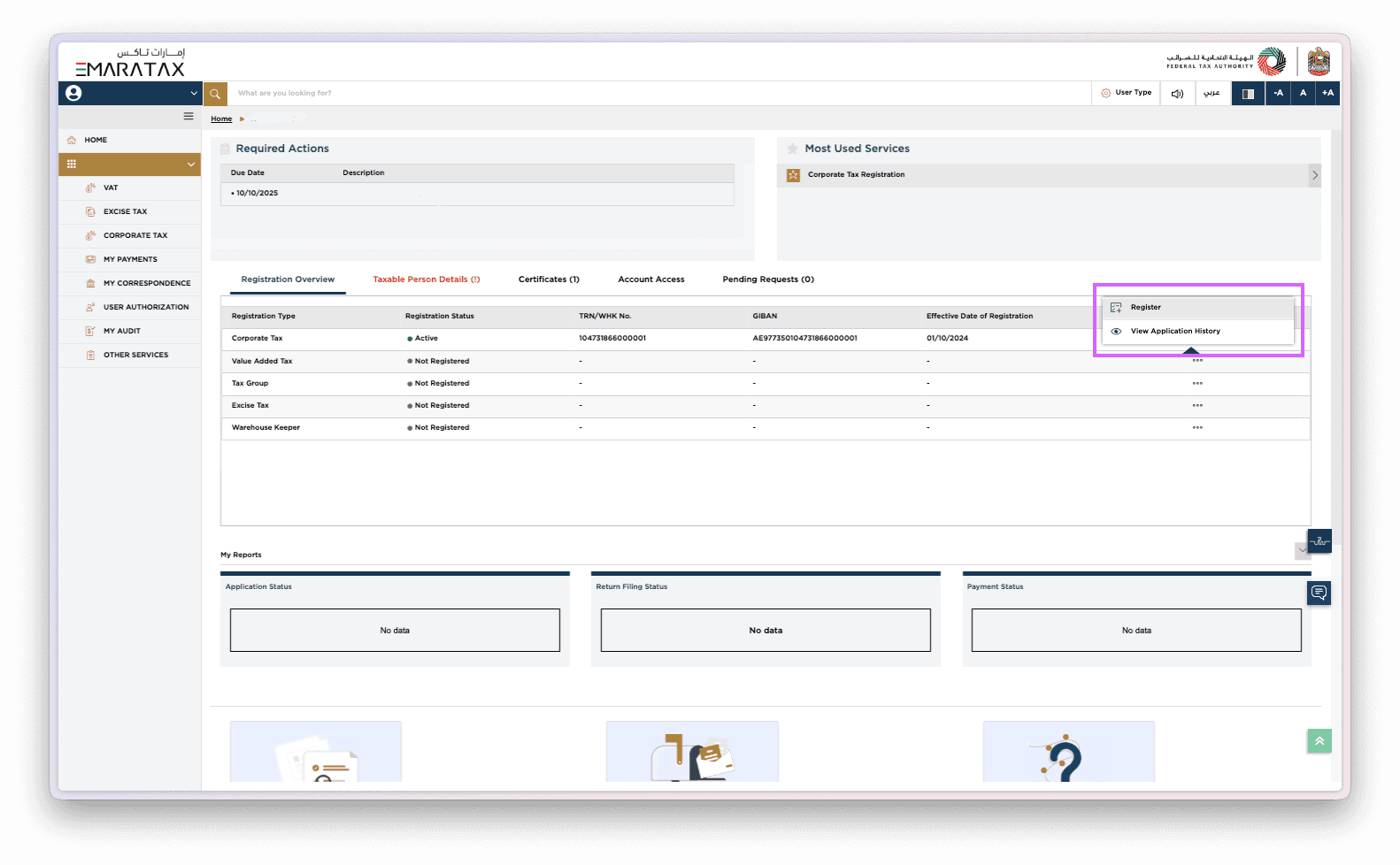
Step 2 Register for VAT via the Dashboard
Once logged in:
Click on Value Added Tax
Then select Action
Choose Register for VAT
At this point the system will ask you to select the taxable person profile (if more than one). If you have multiple licences or branches, ensure you select the entity you intend to register. This is not just a formality getting the wrong entity means you might mismatch your data and licence information later.
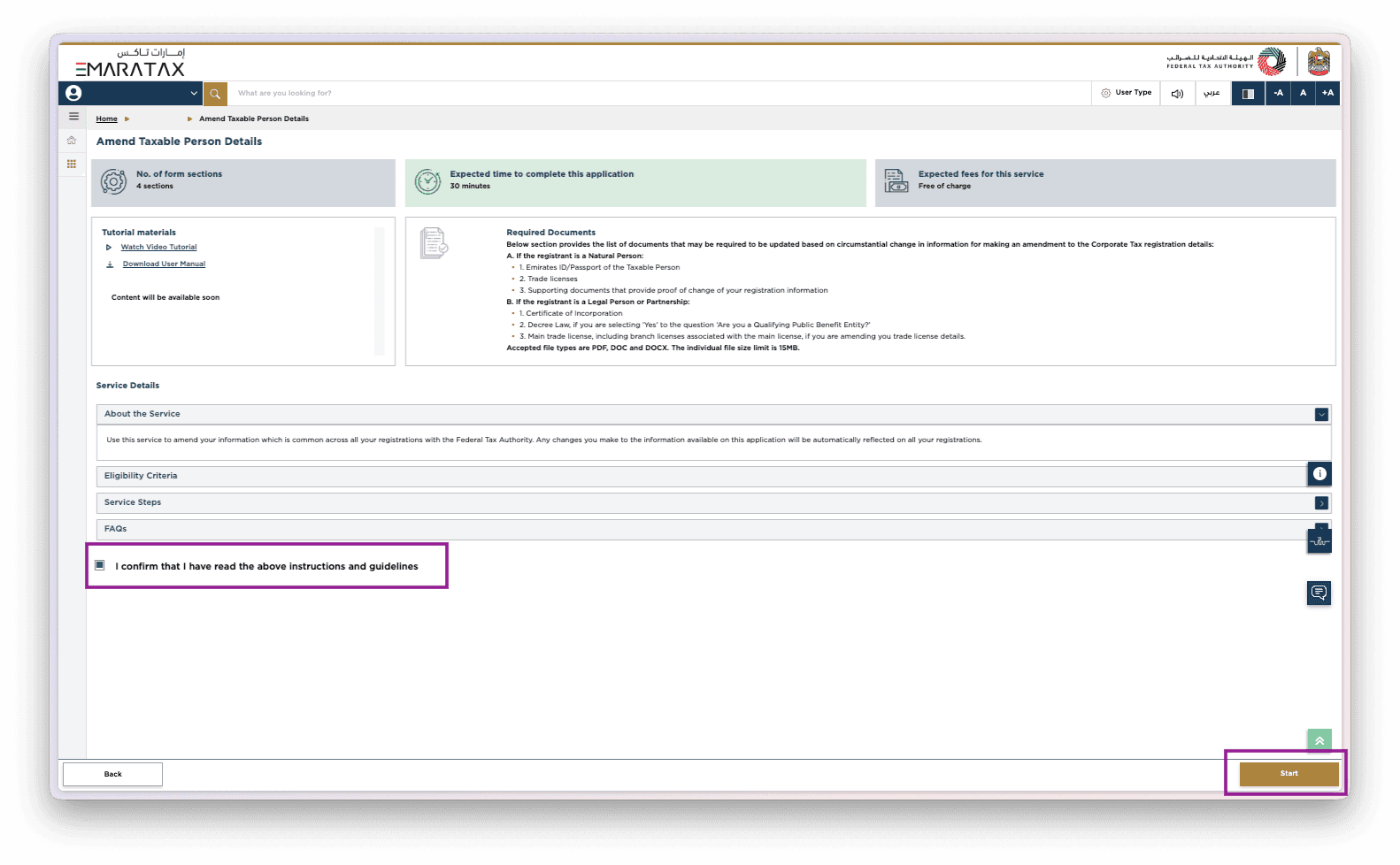
Step 3 Prepare Required Documents
Make sure you have everything ready before data-entry starts. The FTA accepts: PDF, JPG, Word, Excel, PNG, JPEG (max 5MB).
Here’s what you’ll need depending on your situation:
Name or Trading Name Change: valid trade/business licence + proof of change (articles of association, etc.).
Partnership Composition Change: trade licence + partnership deed or legal document.
Principal Business Address Change: lease or purchase agreement showing new address.
Primary Business Activities: ensure your listed activities match actual operations if not, you may need supporting documentation.
Other Amendments: e.g., change of ownership, branch closure gather relevant legal proof.
To avoid delays: ensure documents are readable, match your licence details exactly (spelling, entity number), and are uploaded in the right format. Keeping a single folder named “FTA-VAT registration – documents” saves time.
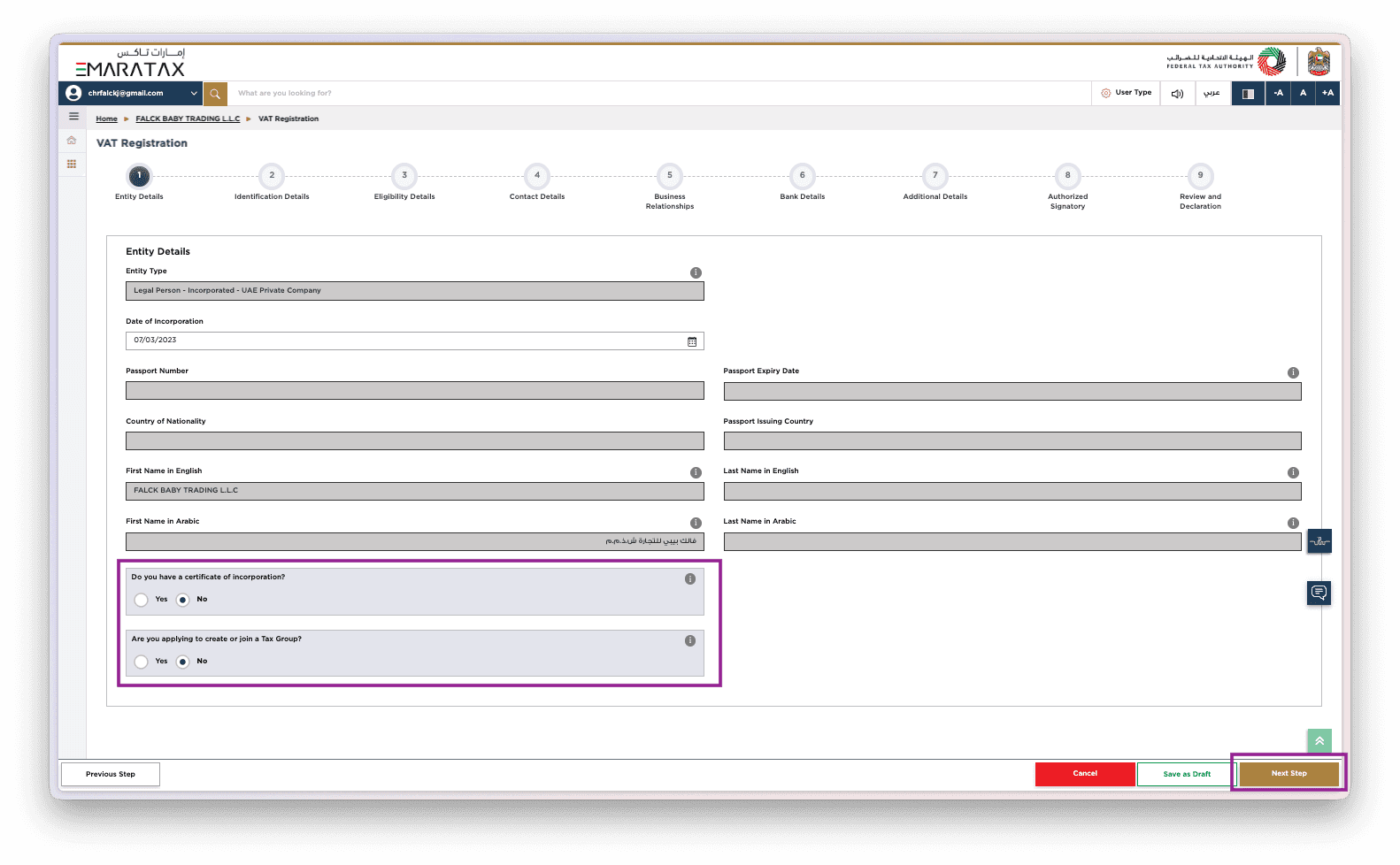
Step 4 Entity Details
You’ll need to verify and update the following:
Legal name of the entity (as per trade licence)
Trading name (if different)
Licence number, issue & expiry dates
Registered address and PO Box
Contactable email and phone number
Do you have a certificate of incorporation? Yes / No
Are you applying to create or join a Tax Group? Yes / No
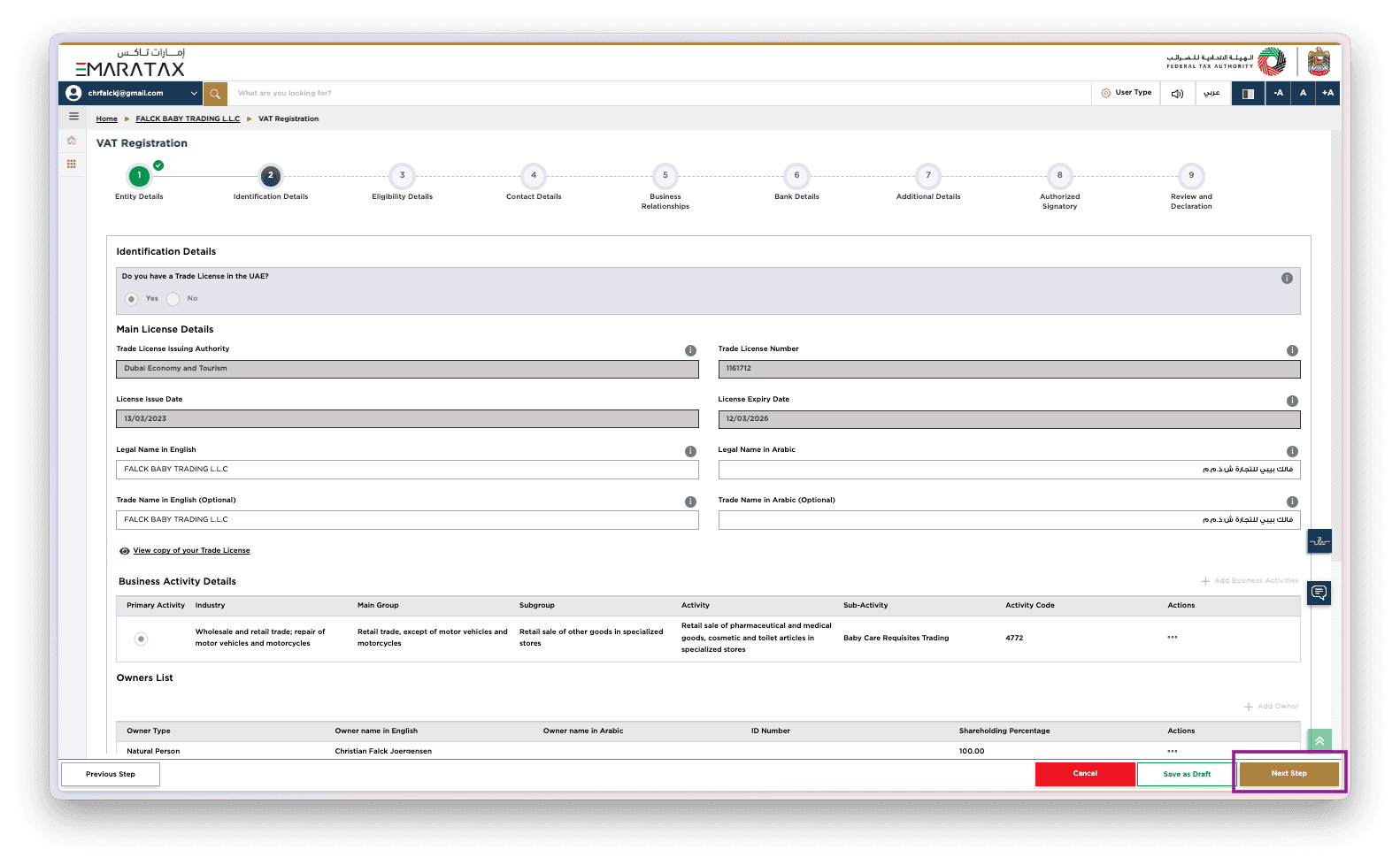
Step 5 Identification Details
In this section confirm:
Main licence type (company, sole establishment, branch)
Business activity details (primary and any secondary activities)
Owners list: include names, IDs/passports, residences
Does your business have local branches? Yes / No
Is it a sole establishment? Yes / No
If you tick “Yes” to branches, you’ll need to list each branch and sometimes attach supporting documents (licence, location). If you’re a sole establishment, ensure the owner’s details are properly captured and match your Emirates ID/passport.
Step 6 Eligibility Details (Taxable Supplies & Expenses)
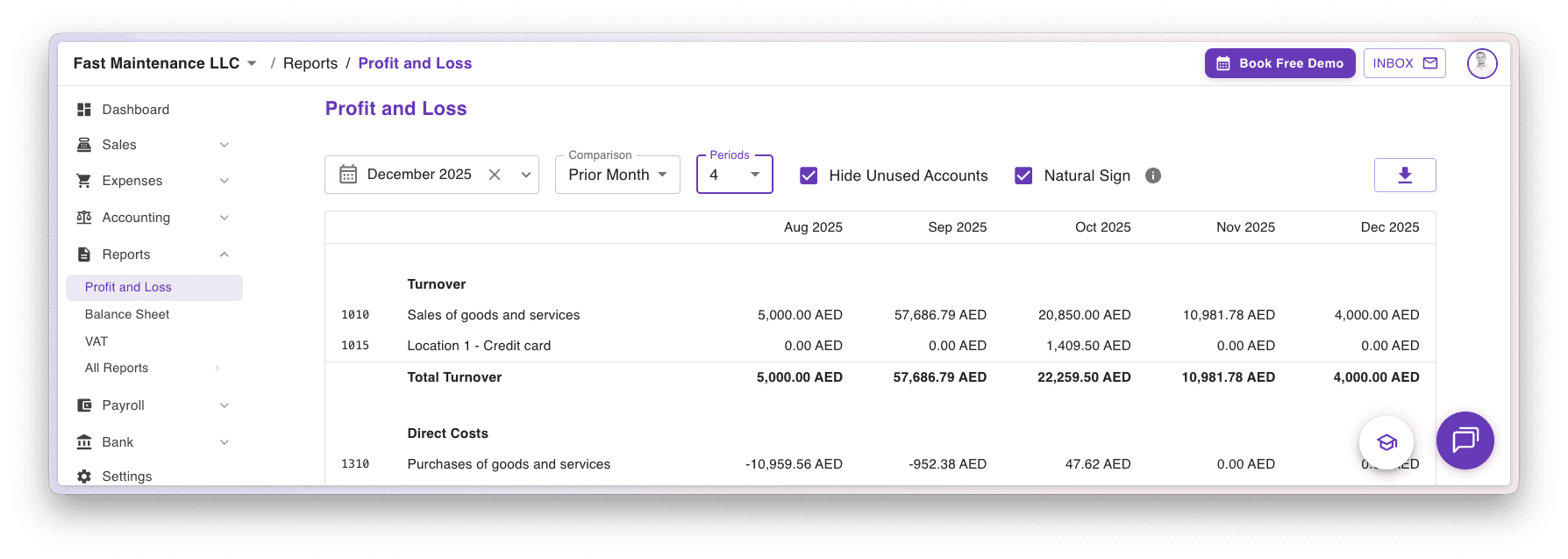
Taxable Supplies
Fill in the revenue for the months.
You can see this in Naqood under reports, filter on month and select compare with 24 months then you get a full overview.
Taxable Expenses
Fill in the expenses for the months.
You can see this in Naqood under reports, filter on month and select compare with 24 months then you get a full overview.
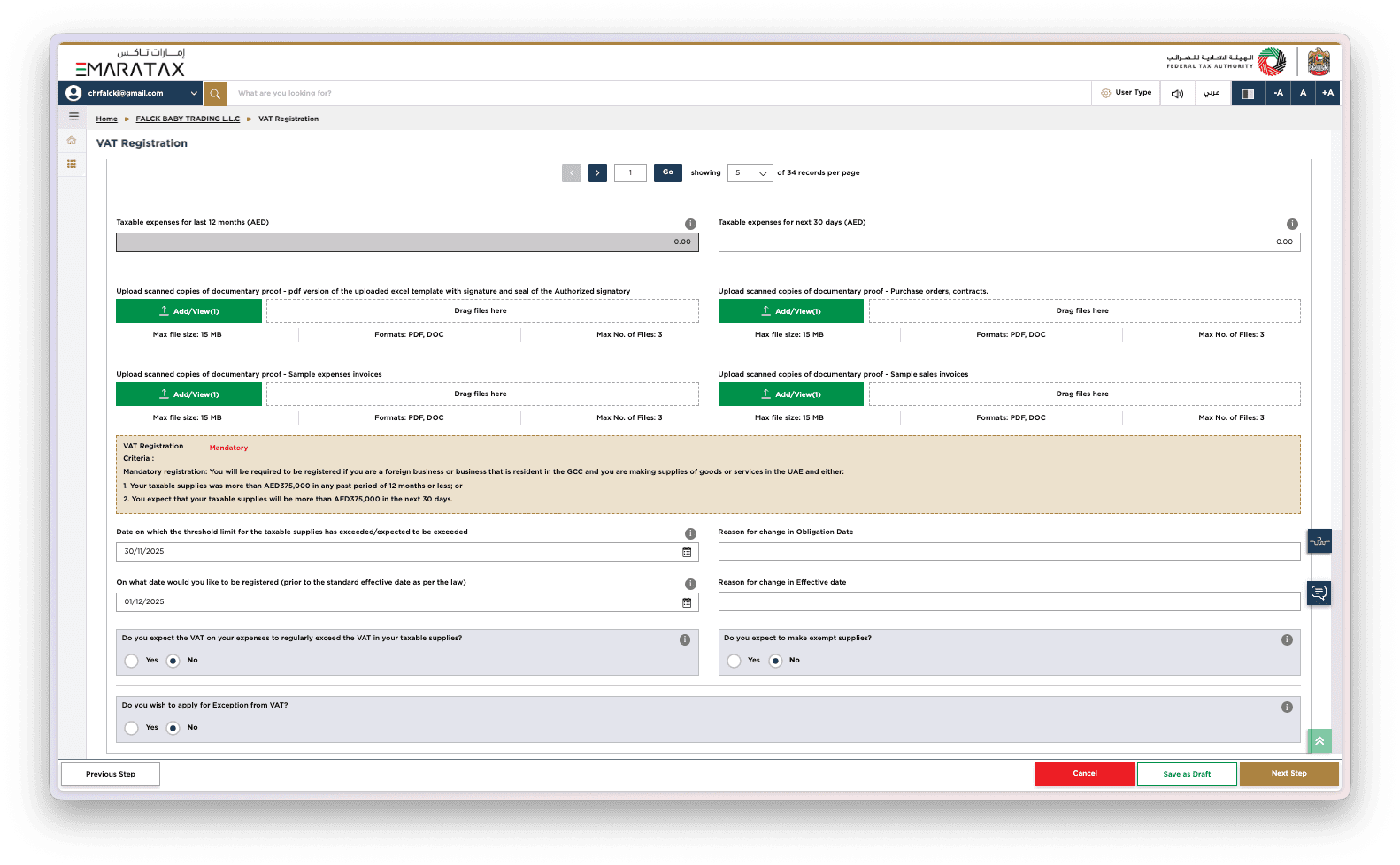
Upload scanned copies of documentary proof - pdf version of the uploaded excel template with signature and seal of the Authorized signatory
You can download this in Naqood under all reports (requires Pro Tier)
Upload scanned copies of documentary proof - Purchase orders, contracts.
Upload scanned copies of documentary proof - Sample expenses invoices
Upload scanned copies of documentary proof - Sample sales invoices
Date on which the threshold limit for the taxable supplies has exceeded/expected to be exceeded
- Inset the date
On what date would you like to be registered (prior to the standard effective date as per the law)
- Inset the date
Do you expect the VAT on your expenses to regularly exceed the VAT in your taxable supplies? Yes / No
Do you expect to make exempt supplies? Yes / No
Do you wish to apply for Exception from VAT? Yes / No
Step 7 Contact Details
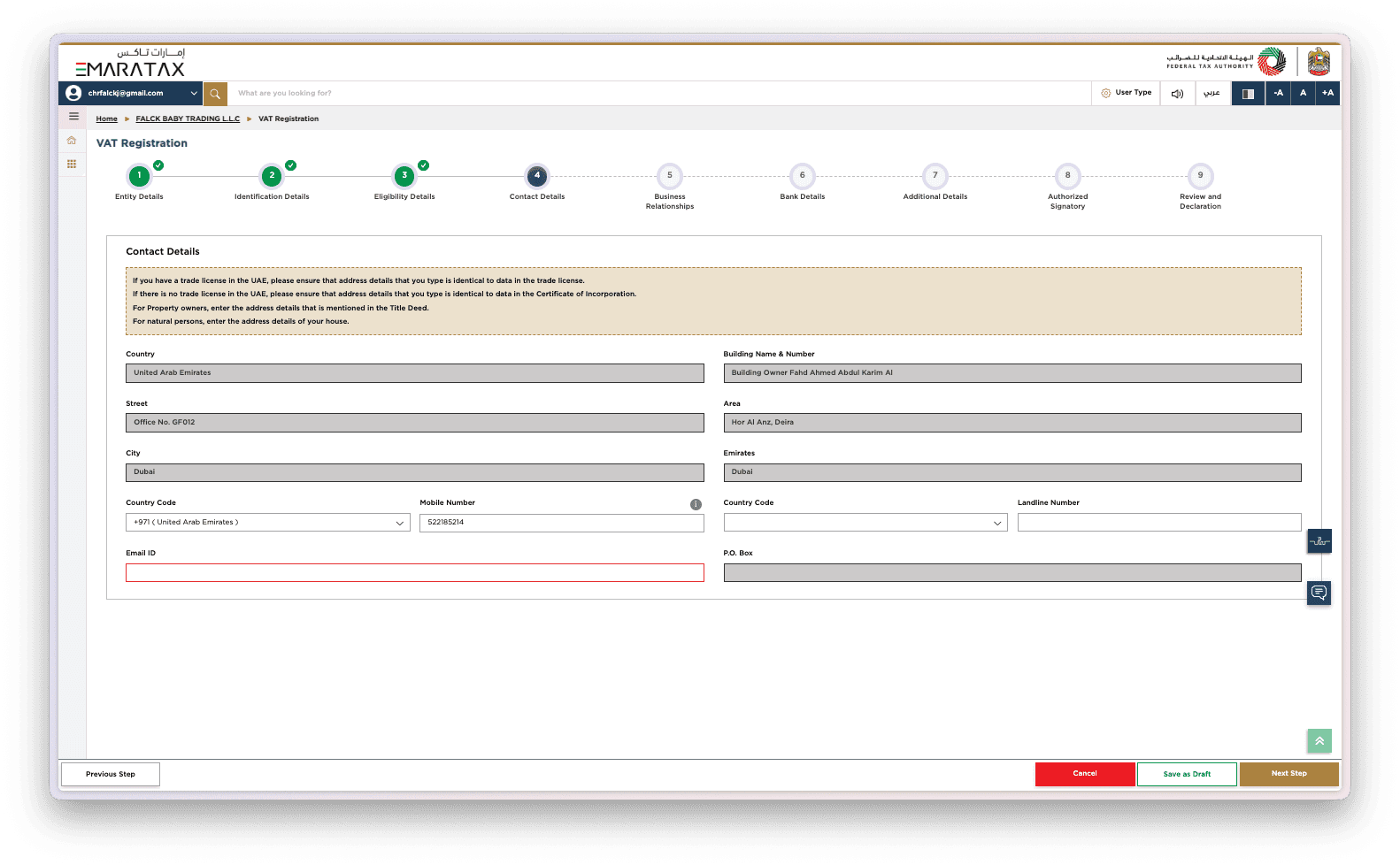
Review your details carefully, as the FTA uses this information for all VAT-related communication. Ensure your email address, phone number, and business location are fully accurate and up to date. Correct contact details help prevent delays in receiving your Tax Registration Number (TRN), clarification requests, or important compliance notifications.
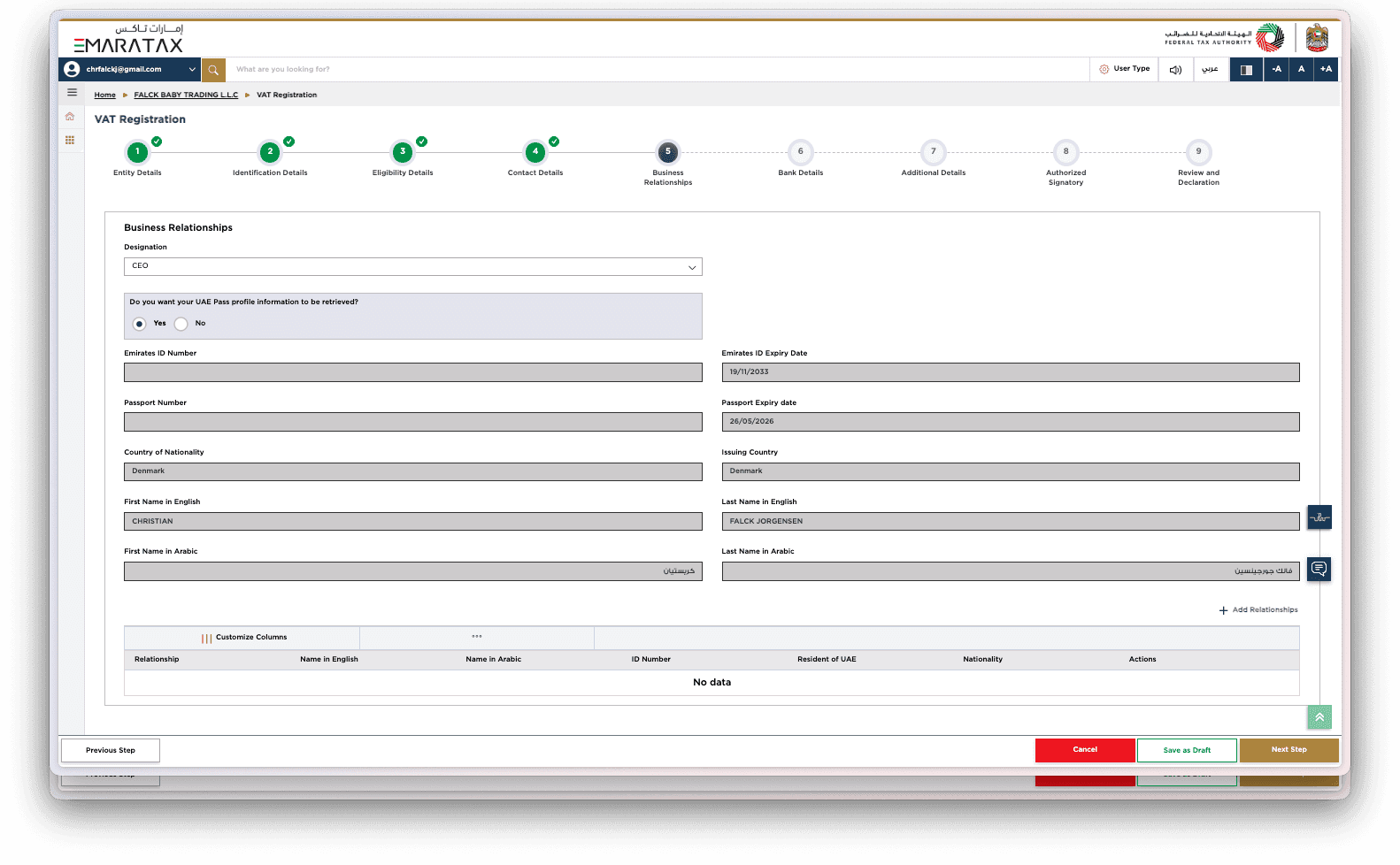
Step 8 Business Relationships
Select the designation of the authorised person, such as CEO or Manager. This section establishes who is officially responsible for VAT compliance. The FTA may cross-check these details with your licence and UAE Pass identity.
You will be asked:
Do you want your UAE Pass profile information to be retrieved? Yes / No
Is the Manager/CEO a Resident in the UAE? Yes / No
Providing accurate information here helps the FTA verify identity, prevent delays, and ensure legal responsibility is clearly assigned.
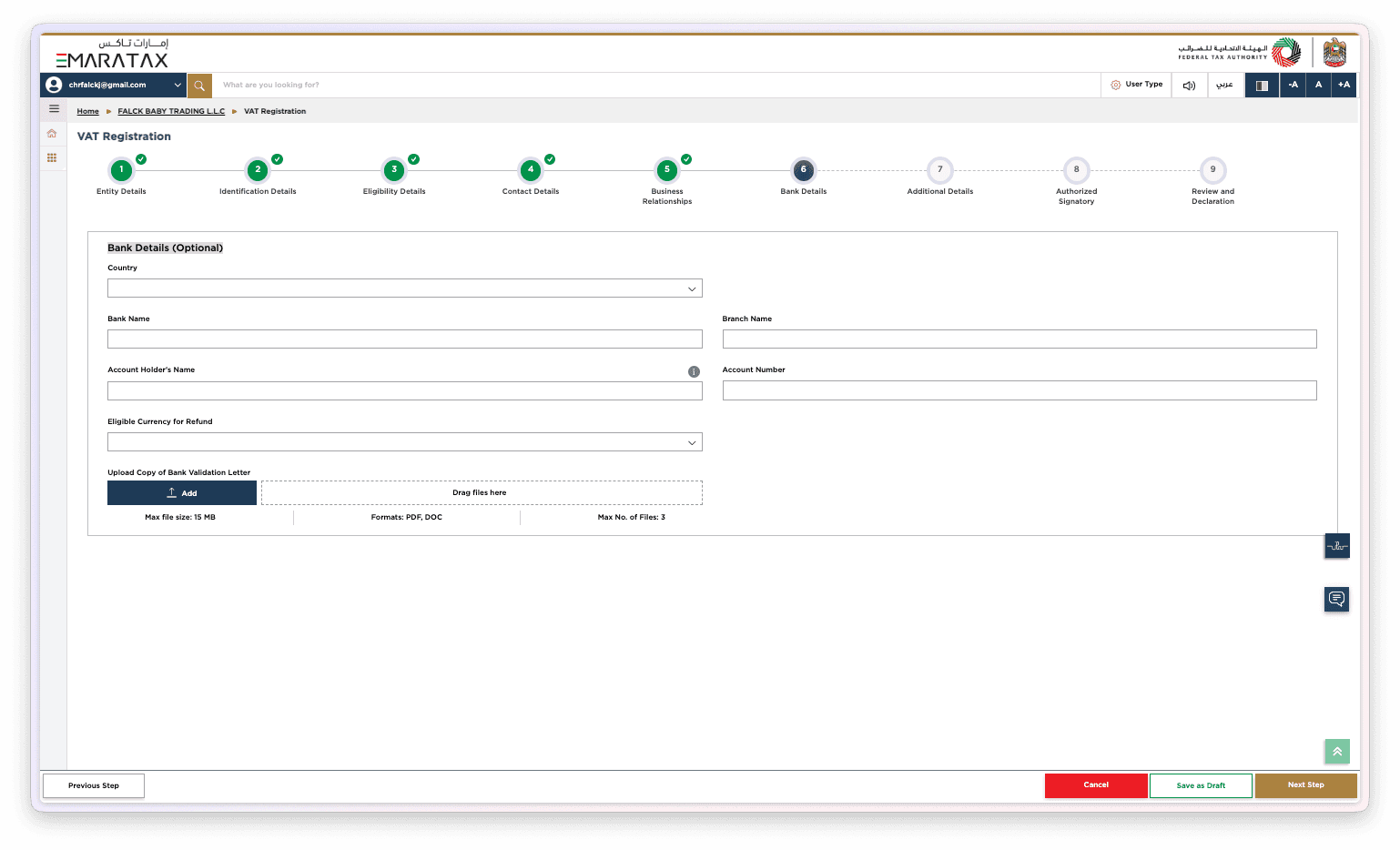
Step 9 Bank Details (Optional)
Here you may enter your business bank account details. Although optional, filling these fields is beneficial if you expect VAT refunds in the future. Accurate bank information ensures fast refund processing, avoids administrative delays, and improves your business’s cash flow planning.
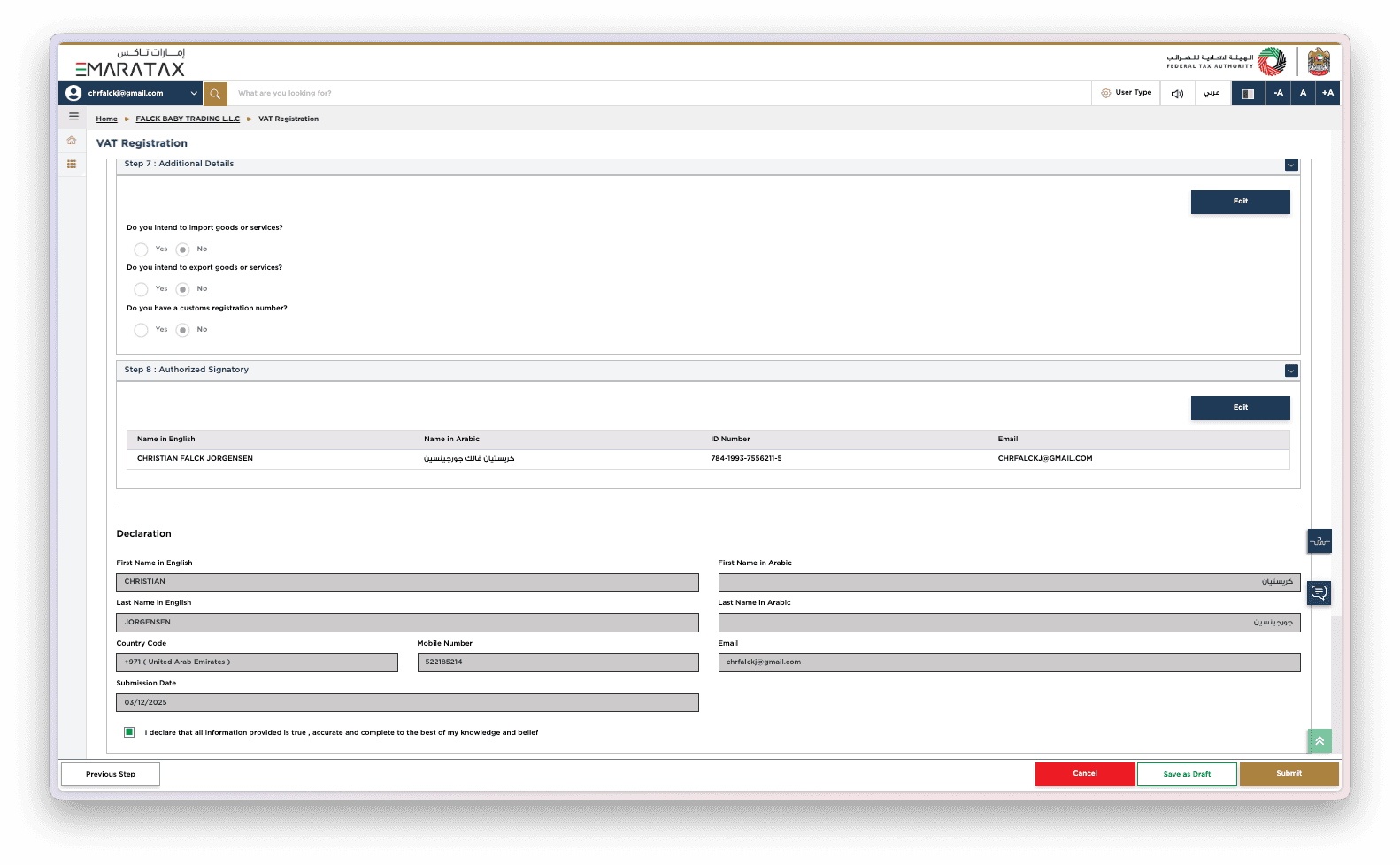
Step 10 Additional Details
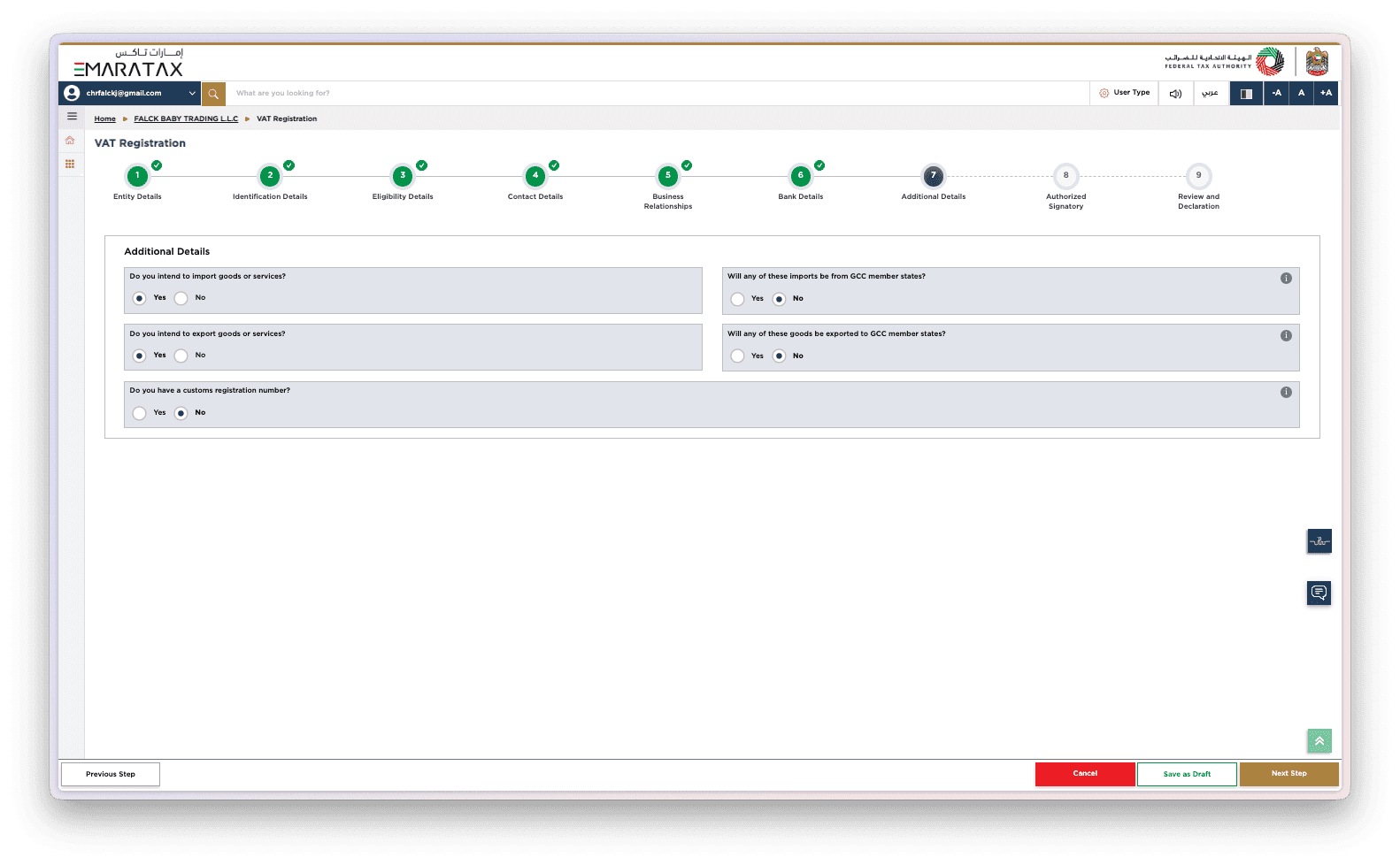
This section helps the FTA understand your business’s trade activities and whether you operate across borders. Answering accurately ensures you are placed under the correct VAT rules for imports, exports, and GCC transactions.
You will need to answer:
Do you intend to import goods or services? Yes / No
Will any of these imports be from GCC member states? Yes / No
Do you intend to export goods or services? Yes / No
Will any of these goods be exported to GCC member states? Yes / No
Do you have a customs registration number? Yes / No
These answers affect how VAT is calculated and whether any special treatments or reporting requirements apply to your business.
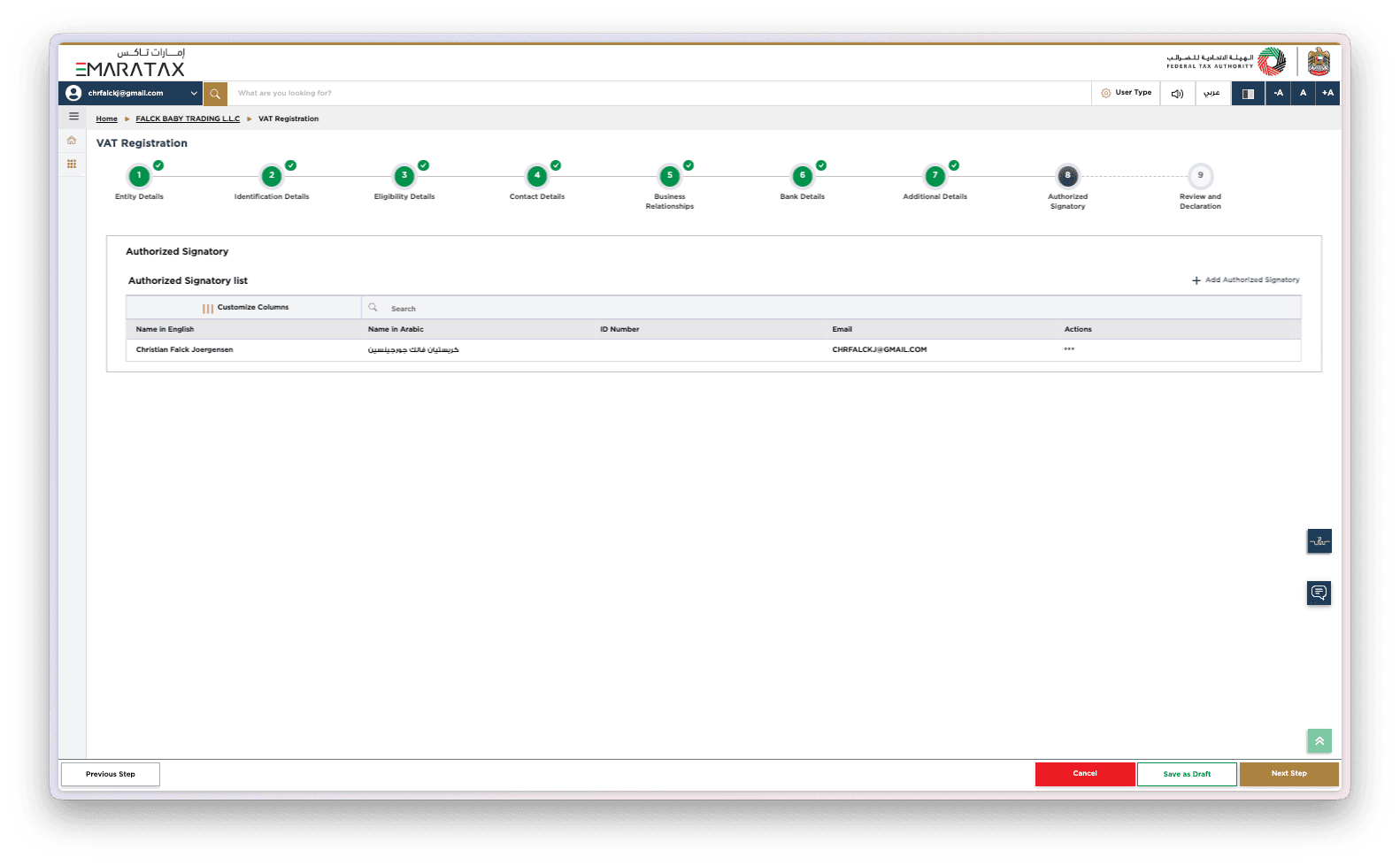
Step 11 Authorized Signatory
Confirm the authorised signatory who will be legally responsible for VAT compliance. This person must match your trade licence or supporting documents. Ensuring accuracy in this section prevents delays and ensures the FTA can validate your application quickly.
Step 12 Review and Declaration
Review all the details you have entered to ensure accuracy before submitting your VAT registration. This includes checking your financial figures, documents, and eligibility information. Once everything is confirmed, submit the form. The FTA will then evaluate your application and issue your TRN upon approval.
VAT Benefits for Businesses
VAT registration strengthens your company’s compliance profile and enhances credibility with clients and suppliers. It allows you to legally charge VAT on sales, reclaim input VAT on eligible expenses, and operate with greater financial transparency.
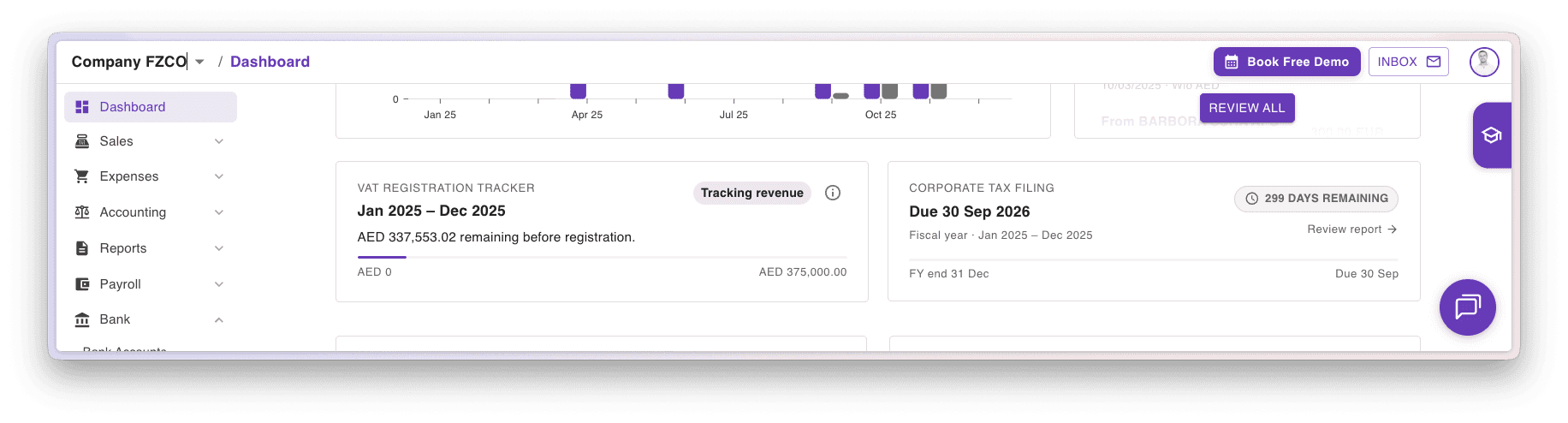
VAT in Naqood
Naqood is designed to make VAT compliance simple and stress-free for business owners and accountants. Our built-in revenue tracker helps you monitor your taxable turnover so you always know when you are approaching the VAT registration threshold. We also include automated VAT filing reminders, ensuring you never miss an FTA deadline.
When it’s time to file, Naqood provides a VAT report formatted exactly like the FTA’s, making the submission process faster, easier, and fully compliant. Simply review your figures and export the report, everything is already structured for you.
To learn more about filing VAT in the UAE, you can follow our step-by-step guide here:
Required Documents Summary Table
Trade licence
Passport/Emirates ID of owners
Proof of address (lease agreement)
Revenue and expense reports
Sample invoices and contracts
Bank letter (if submitting refund details)
Common Mistakes to Avoid
Entering revenue totals inconsistent with accounting data
Uploading unreadable documents
Incorrect business activity selection
Missing branch details
Wrong registration effective date
VAT Registration Timeline
Preparation of documents: 1–2 days
FTA submission: Same day
Review period: 5–20 working days
TRN issuance: Upon approval
Post-Registration Responsibilities
Charge VAT on taxable supplies
Issue compliant tax invoices
File VAT returns on time
Maintain financial records for 7 years
Reconcile sales and expenses monthly
How Naqood Helps You Stay Compliant
Naqood automates financial tracking and stores all revenue and expense data in one place. It simplifies VAT reporting, generates ready‑made summaries for FTA submission, and reduces the risk of compliance errors.
Frequently Asked Questions (FAQ)
Do export sales count toward the VAT registration threshold?
Yes. Export sales are considered taxable supplies, even though they are zero-rated. This means they must be included when calculating your total taxable turnover to determine whether you meet the AED 375,000 mandatory VAT registration threshold.
Do I need to register if I have no revenue yet?
If you expect to exceed the VAT threshold within 30 days, registration becomes mandatory.
Can freelancers register for VAT?
Yes. Sole establishments and individuals earning taxable income must register when thresholds apply.
Can I reclaim VAT paid before registration?
Yes, in specific cases where goods or services were purchased for business use and meet FTA criteria.

About the author
Christian Falck, a 2018 Copenhagen Business School graduate with a Master's in Finance and Accounting, also excelled at Columbia University in Corporate Finance. With 11+ years in accounting, his accounting firm won 3x Børsen Gazelle awards consecutively. Since 2021, he has been based in Dubai.