 Naqood
Bank Reconciliation Guide for UAE Businesses | Naqood Tutorial
This guide will help UAE business owners and accountants efficiently use Naqood’s Bank Reconciliation module to manage and reconcile bank transactions.
Getting Started
Set Up Your Bank Accounts
Before importing transactions, ensure your bank accounts are properly configured:
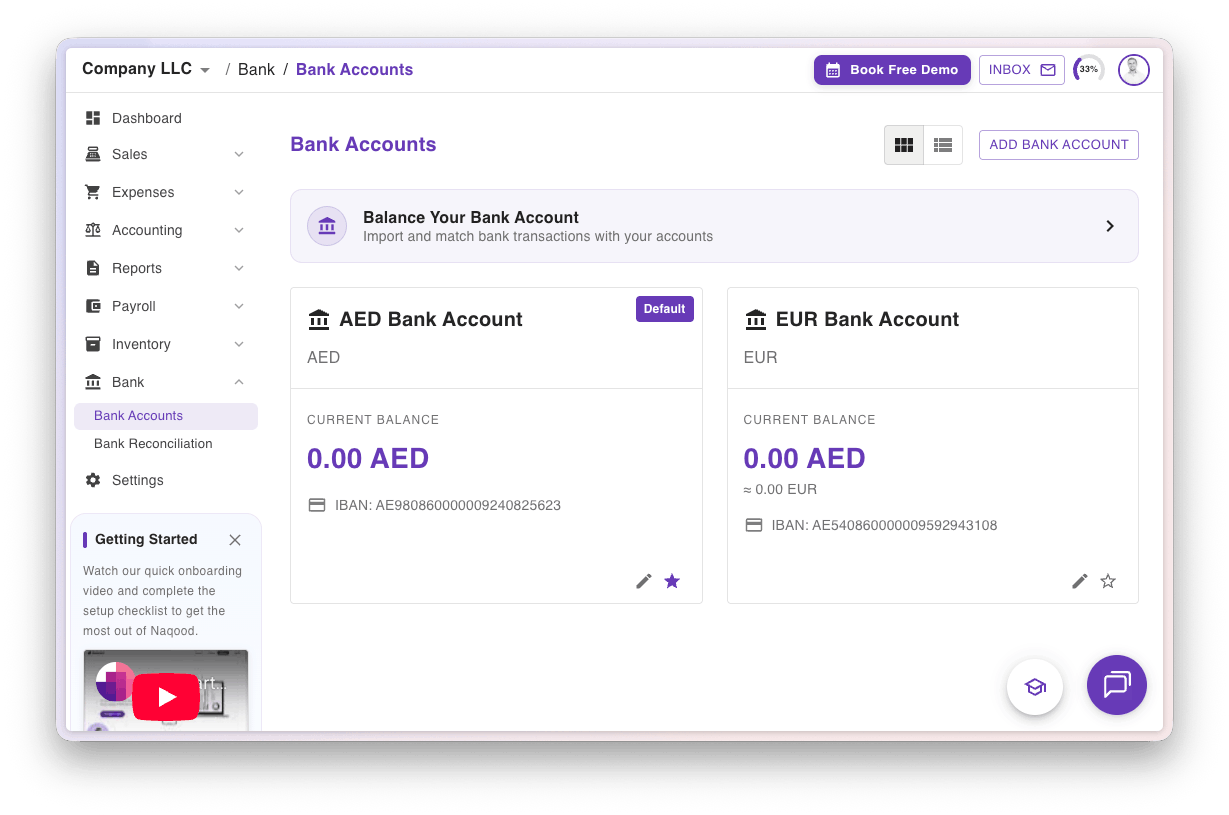
Navigate to Bank → Bank Accounts
Add your bank’s IBAN number for each account
⚠️ Important:The IBAN is used to match imported bank transactions to the correct account
Importing Bank Transactions
You can import transactions using two methods:
Method 1: CSV Import
Upload bank statements in CSV format by dragging and dropping the file.
Supported Banks:
First Abu Dhabi Bank (FAB)
Emirates NBD (ENBD)
Mashreq
Wio
For other banks:
Use our CSV template for manual imports
Contact our in-app support team to request adding your bank (if the statement format is compatible)
Import Steps:
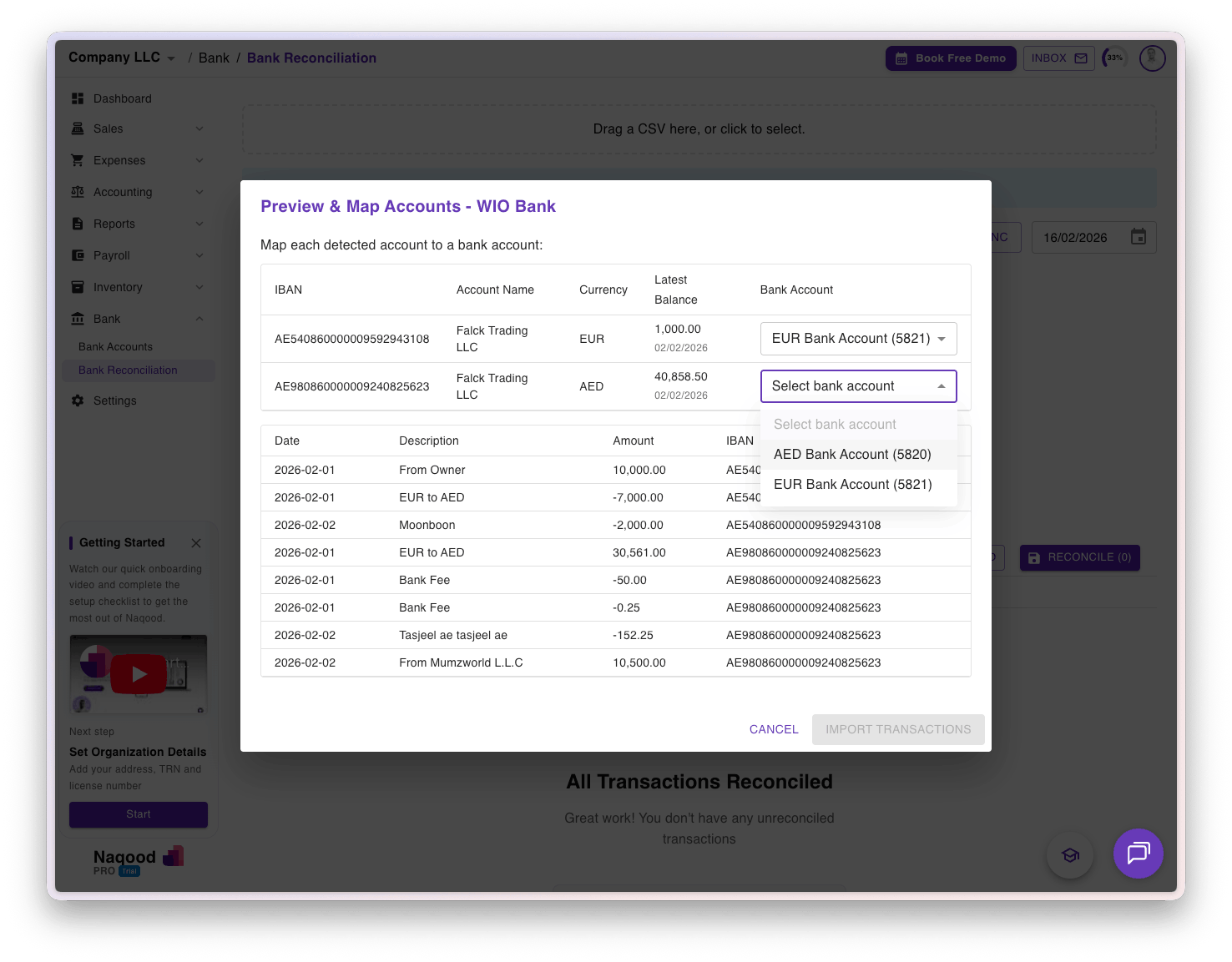
Upload your CSV file
Match the bank accounts from the statement to your Naqood accounts (based on currency)
Click “Import Transactions”
⚠️ Important: Ensure reference numbers are truly unique. Duplicate reference numbers will cause transactions to be skipped to prevent data duplication.
Method 2: Bank Sync (Direct Integration)
Click “Bank Sync” to automatically fetch transactions directly from your bank.
Currently Supported:
Wio
Mashreq

Reconciling Transactions
Match to Invoice Payment
When you’ve received payment for an invoice:
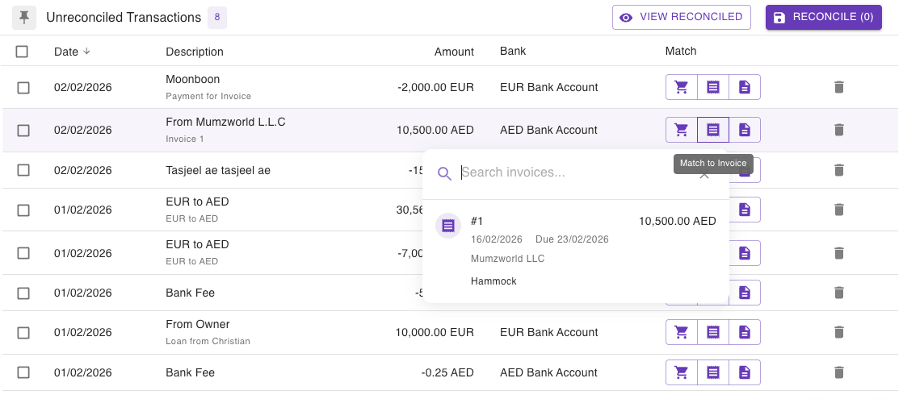
Click “Match to Invoice”
Search and select the corresponding invoice
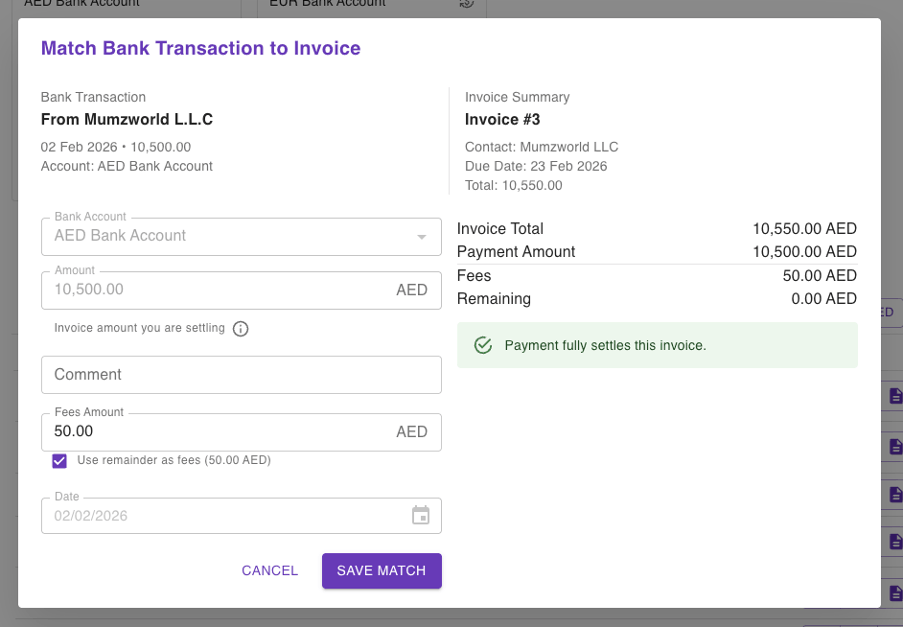
Same Currency: The full amount automatically settles the invoice
Partial Payment: Check “remainder is fee” to book the difference as bank fees
Match to Purchase Payment
When you’ve made a payment for a purchase:
Click “Match to Purchase”
Search and select the corresponding purchase
Same Currency: The full amount automatically settles the purchase
Overpayment: Enter a “fee amount” to book the difference as bank fees
💡 Tip: Naqood automatically calculates exchange rate gains/losses on foreign transactions per FTA requirements. This means an AED value will be calculated for your foreign holdings. Use the “Currency Conversion” template at year-end to adjust any balances.
Create a New Purchase
You can create a purchase directly from the reconciliation screen:
Click “Match to Purchase”
Select “Create New Purchase”
Account-to-Account Transfers
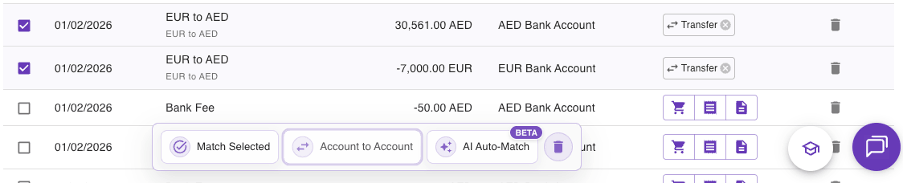
For internal transfers between your bank accounts (e.g., EUR 7,000 from EUR account → AED 30,561 to AED account):
Select both transactions using the bulk selector (one outgoing, one incoming)
Click “Account to Account Transfer”
Add any bank fees if applicable
✓ Naqood automatically calculates and books exchange rate variances.
⚠️ Note: You can only select 2 transactions at a time (one debit, one credit).
Create Journal Entries
For Single Transactions:
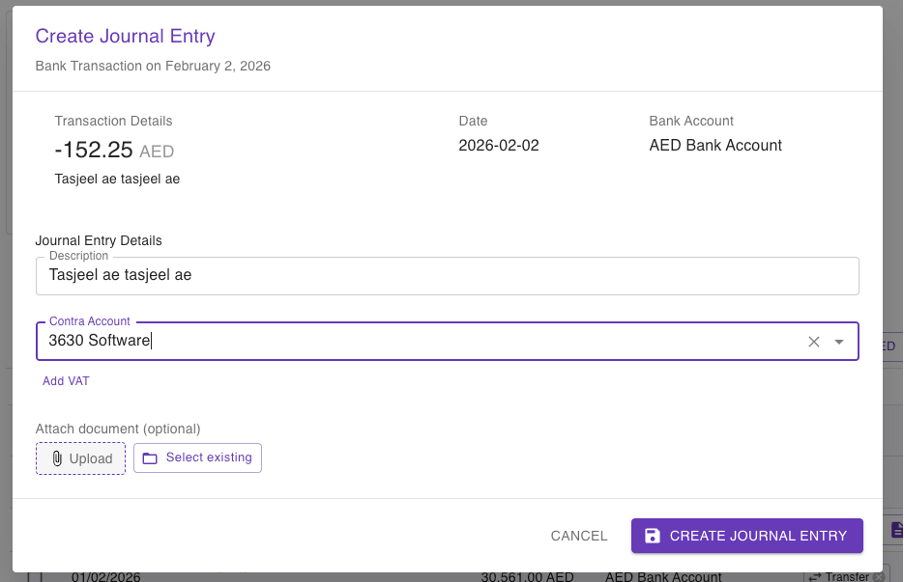
Click “Create Journal Entry”
Select the appropriate account from the chart of accounts
Example: Software expenses → “3630 Software”
Example: Owner contributions → “6850 Debt to Owner”
(Optional) Upload supporting documentation
View the full chart of accounts under Settings → Accounts

Bulk Journal Entries
Ideal for processing multiple similar transactions without individual purchase records.
Steps:
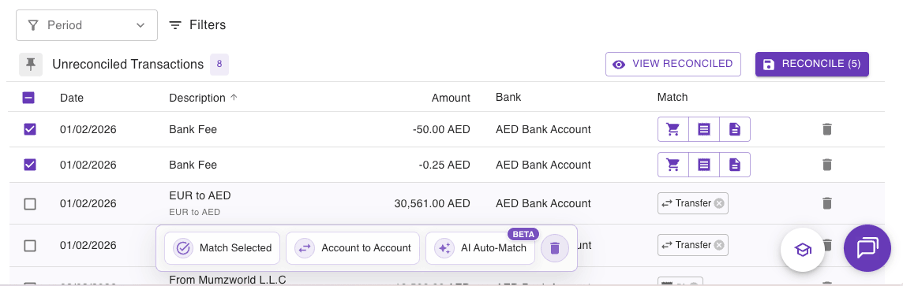
Filter transactions by:
Period
Currency
Text field (e.g., “bank fee”)
Sort by date or description
Select the transactions you want to process
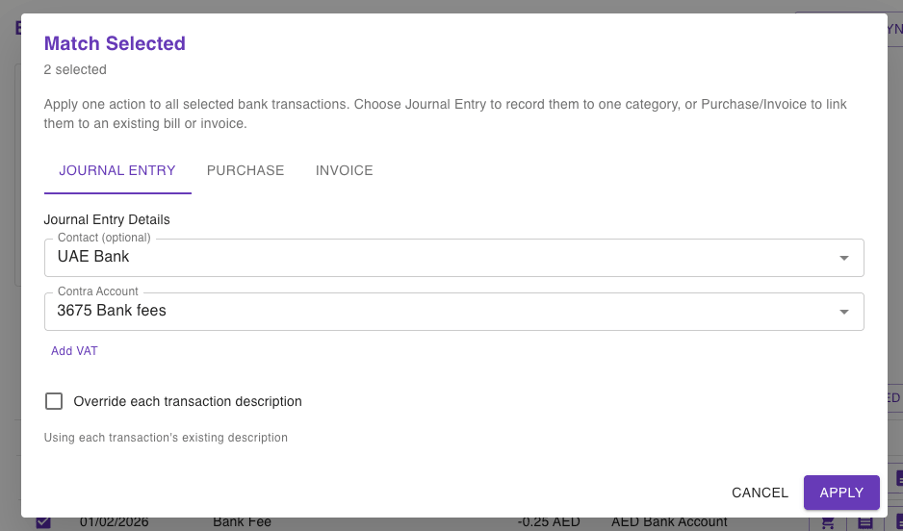
Click “Match Selected”
Choose the destination account
Common Bulk Entry Accounts:
3675 – Bank Fees
2720 – Advertising and Promotion
Need Help?
Contact our in-app support team for:
Adding unsupported banks
Technical assistance
Account setup questions